AI翻訳 is run by Globalink Inc. It is not a service of LY Corporation, and “LINE” is its registered trademark.
One-on-one
Translate in your chat with AI翻訳, then send it to your partner.
Use it in 3 steps
If you are new, please first add AI翻訳 as a friend (opens the LINE add-friend page)
- Step 1
Choose languages (if not English)
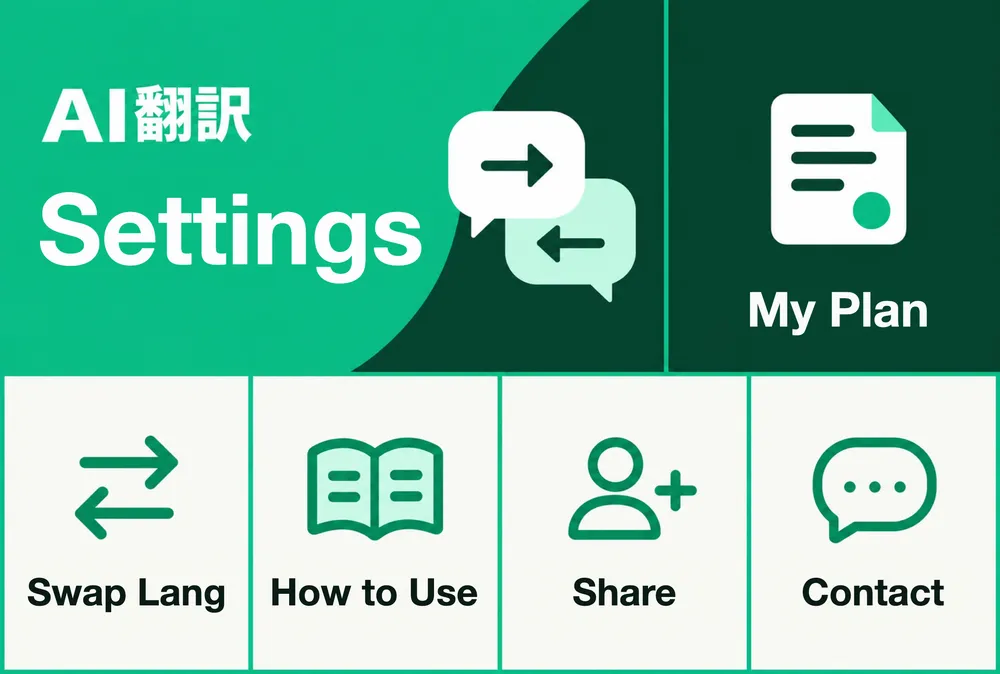
At the bottom of the chat, tap these in order.
Sample: the menu that opens from “Menu” at the bottom of the chat. Top row: a large “Settings” on the left and “My Plan” on the right. Bottom row, from the left: “Swap Lang”, “How to Use”, “Share”, “Contact”. The outlined button is “Settings” - Step 2
Send text to AI翻訳
The translation comes back right below it.
- Step 3
Copy and send to your partner
Long-press it and tap “Copy”. Remove the line (―――) and below, then send.
Copy your partner's reply and send it to AI翻訳 to read it in English.
Help & pricing
Change languages
At the bottom of the chat, tap “Menu” → “Settings” to open the translation settings.
Set “My Language” to yours and “Partner's Language” to your partner's, then tap “Save”.
No translation comes back
In settings, check that “Auto-translate” is ON.
If the language is wrong, check “My Language” and “Partner's Language”.
Pricing
Text translation is free for up to 100 messages a month.
PRO (¥500/month, tax incl.): no monthly limit, plus voice and images. The first 7 days are free.
More detailsSettings, voice and images, pricing terms and more
More about one-on-one
Language settings
- The first language pair depends on your LINE app's language. If it is in English or Japanese, it starts as Japanese ⇄ English, so if you write English and your partner writes Japanese, it works without changing anything (in another supported language, it starts as that language ⇄ Japanese). If your LINE app is in a language AI翻訳 does not support, or if you started using AI翻訳 in a group or elsewhere first, it is Japanese ⇄ English. You can change it in settings at any time.
- “Menu” is at the bottom of your chat with AI翻訳. Tap “Settings” to open settings (the first time, LINE asks for permission; please allow it to continue).
- In settings, choose “My Language” and “Partner's Language”, then tap “Save”. There are 30 languages to choose from.
- e.g. To talk with a Thai speaker, set “My Language” to “🇺🇸 English” and “Partner's Language” to “🇹🇭 ภาษาไทย”.
- You can also open settings with “⚙️ Settings” under a translation.
- Send the language you want, like “Translate to Thai”, and a button to switch appears. Simply tap it (it does not appear if that language is already set; for Chinese, “Translate to Traditional Chinese” or “Translate to Simplified Chinese”).
- If you write in a language other than Japanese or English while it is still Japanese ⇄ English, a button to switch to it may also appear (once a day at most).
- You can also change it by sending
/set en ja. - Until you send your first message, the menu may be in Japanese. After that, it follows your LINE app's language.
Translation direction
- Messages in your partner's language are detected automatically and translated into your language.
- Messages in any other language are translated into your partner's language.
Voice and images
- Available with PRO or during the free trial. Replies come as “📝 (text read from it)” and “🌐 (translation)”.
- If you are new, your 7-day free trial starts as soon as you add AI翻訳 as a friend (no card required).
- Voice in your language is translated into your partner's language.
- Voice in your partner's language is also translated into your language. Just send it as it is.
No reply, or the wrong language
- In settings, please check that “Auto-translate” is ON and that “My Language” and “Partner's Language” are right.
- Send
/statusto see your current settings. - The free plan includes 100 messages a month (you will be notified when they run out).
Stop automatic translation
- Send
/offto stop it (send/onto resume).
Commands you can type
One-on-one (your chat with AI翻訳)
Sent in a group, these are translated as normal text (/status and /help show the group's info instead).
/set en jaChange your language and your partner's
/statusShow your current settings
/flipShow your two current languages and a note on the translation direction (same as “Swap Lang” in the menu; your settings do not change)
/on/offResume or pause automatic translation
/planYour plan and this month's usage
/langList of languages and codes
/helpShow the list
/shareGet your referral code (when a friend who has never received a referral bonus applies it, you both get 30 more days of free PRO features; paid plans are billed as usual)
Supported languages (30)
Translates both ways between the two languages you choose. Commands such as /set en ja use the codes below (ja, th, etc.).
日本語
Japanese · ja
English
English · en
繁體中文
Traditional Chinese · zh-TW
简体中文
Simplified Chinese · zh-CN
한국어
Korean · ko
ภาษาไทย
Thai · th
Tiếng Việt
Vietnamese · vi
Bahasa Indonesia
Indonesian · id
Bahasa Melayu
Malay · ms
Filipino
Filipino · tl
မြန်မာဘာသာ
Burmese · my
ភាសាខ្មែរ
Khmer · km
ພາສາລາວ
Lao · lo
नेपाली
Nepali · ne
සිංහල
Sinhala · si
বাংলা
Bengali · bn
Монгол
Mongolian · mn
Français
French · fr
Deutsch
German · de
Español
Spanish · es
Português
Portuguese · pt
Italiano
Italian · it
Nederlands
Dutch · nl
Svenska
Swedish · sv
Polski
Polish · pl
Türkçe
Turkish · tr
Українська
Ukrainian · uk
Русский
Russian · ru
العربية
Arabic · ar
हिन्दी
Hindi · hi
Data handling and translation accuracy
- Text, voice and images you translate are sent to external AI providers (Google, OpenAI) for translation and may be processed on servers outside Japan.
- One-on-one translation history is saved only if you turn on “Save Conversation Log” in settings (off by default). Even when it is off, the latest translation may be kept temporarily, for up to 30 minutes, so you can save a note or report a mistranslation.
- Please do not send confidential or personal information.
- AI translates by meaning, but accuracy is not guaranteed and mistranslations can occur. For important matters such as medical, legal, contract or safety topics, please have it checked by a professional. Please report any translation that seems wrong with “❌ Report Error”.
FAQ, pricing and terms
Pricing and terms
FREE¥0/month
- Text translation: 100 a month
- 30 languages
- Group translation: 200 a month per group (plus 200 a month per person across all groups)
PRO¥500/month (tax incl.)
- Text translation with no monthly limit
- 🎤 Voice translation (no monthly limit one-on-one; also in PRO groups)
- 🖼️ Image translation (no monthly limit one-on-one; also in PRO groups)
- Groups: while a sponsor is active (a PRO group), text translation for members who joined has no monthly limit. Images and voice are translated too (group voice up to 2 minutes each)
- The free trial requires no card, and you will not be charged automatically when it ends.
- Up to 2,000 characters per message. “No monthly limit” does not remove limits on length or file types, and does not guarantee speed or accuracy.
- Paid PRO is charged when payment completes and renews automatically every month. The same applies if you sign up during the free trial.
- PRO renews every month from your sign-up date (for example, if you sign up on October 15, your next renewal date will be November 15). Signing up mid-month does not shorten your period of use.
- To cancel, please use “Manage Plan” in settings before your next renewal. You can use PRO until the end of the billing period. There are no prorated refunds unless required by law. Blocking AI翻訳 in LINE does not cancel it.
Check the PRO purchase terms (Japanese)
FAQ
- I would like to contact you
- In your one-on-one chat with AI翻訳, open the menu and tap “Contact” to open the contact page. AI answers first, and if that does not solve it, our staff will reply to you in the chat. You can also email us (info@aihonyaku.jp), even if you have not added AI翻訳 as a friend.
- Can it translate voice messages?
- With the PRO plan or the free trial, voice messages in one-on-one chats are transcribed and translated. They are also translated in PRO groups (groups sponsored by someone with PRO or a free trial).
- Can I cancel PRO at any time?
- Yes. Please cancel from “Manage Plan” in settings before your next renewal. You can keep using PRO features until the end of the billing period.
- Is there a referral bonus?
- When a friend who has never received a referral bonus sends your referral code to AI翻訳 and applies it, you both get 30 more days of free PRO features. The 30 days count from the end of any free period you already have, otherwise from the day it is applied. You cannot refer yourself, and each person can receive it only once. Paid plans keep the same billing amount and renewal date.
For automatic translation with your partner Use it in a group
You can start right away on the free plan (no card required).